LandFormBack to home

Pricing

Pay for the workflow
you actually use.

Start with a free edition, add the pack your projects need, pick a single tool, or get everything with LandForm Complete. Every element LandForm creates is native Revit, so your model stays yours whatever you choose.

LandForm Complete
US$399/yr
Founding price
US$349/yr
Packs from
US$99/yr
Free tools
19

Everything included

LandForm Complete

All 84 paid tools across terrain, planting, patterns, CAD, studios and documentation, every update and new tool while you subscribe, and support straight from the developer.

US$399US$349per user, per year

Founding price: buy before 31 December 2026 and keep US$349 for as long as you renew. Buying all 6 packs separately would cost US$754.

Workflow packs

Buy the workflow,
not the button.

Each pack covers one part of landscape delivery end to end. Tools marked “also sold alone” can be bought on their own as well.

Terrain & Modeling

Grade, sculpt and build the site directly on the toposolid: contours, mounds, graded paths with kerbs, walls and native site steps.
US$149per user, per year · 31 toolsGet this pack
  • Terrain Studio

    Sculpt and grade terrain in a dockable 3D editor with live contours.

    Guide Also sold alone · US$69/yr
  • Mound Factory

    Create preset landscape mounds or depressions on an editable surface.

  • Smooth Mound

    Shape a surface from an editable station path.

  • Auto Mound

    Create an automatic mound fitted to an editable surface boundary.

  • Composite Mound

    Create one automatic mound across several editable surfaces.

  • Point Grip

    Create local terrain mounds from manually placed adaptive point grips.
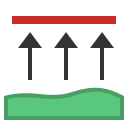
  • Attract Lines

    Shape a floor or toposolid from elevated model lines.

  • Relax Surface

    Smooth or recreate a surface from its boundary and optional guide contours.
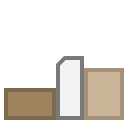
  • Kerb

    Create kerbs along surface boundaries.
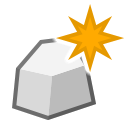
  • Boulder Creator

    Create a unique randomized low-poly boulder as a Site family.
  • Boulder Editor

    Edit a generated boulder in place.
  • Intelligent Path

    Grade roads and paths directly on a host Toposolid.
    Guide Also sold alone · US$49/yr
  • Grade Walls

    Fit stepped walls to the visible site grade.

  • Wall Shaper

    Give walls freeform tops and bottoms, edited in place.
    Guide Also sold alone · US$49/yr
  • Site Steps

    Build a native stair straight off a slab edge.

  • Drape

    Drape editable surfaces to another terrain reference.
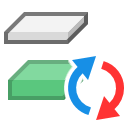
  • Floor / Toposolid Convert

    Convert floors to toposolids, or toposolids to floors.

  • Split Surface

    Divide or trim a floor or toposolid along a splitter path.
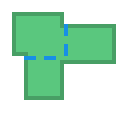
  • Merge Surfaces

    Combine floors or toposolids into one new element.

  • Surface Opening

    Create an opening in a floor or toposolid.

  • Explode Surface

    Separate disconnected floor or toposolid sketch islands.
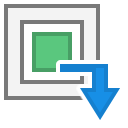
  • Surface Filler

    Create floors or toposolids inside selected host openings.
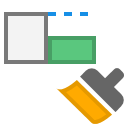
  • Match Edge

    Match a target surface edge to a reference surface elevation.

  • Align Points

    Align surface shape points to selected objects, lines, or edges.

  • Project Family

    Project family instances vertically onto visible or selected surface hosts.

  • Rotate Instances

    Rotate point-based family instances with live preview and alignment tools.
  • Path Array

    Copy a family instance along a drawn or selected path.
  • In-Place Family

    Convert model-in-place solids into loadable Revit families.

  • Lines to Detail Item Family

    Convert detail lines into a loadable Detail Item family.

  • Line Elevations

    Set model-line elevations for contour and grading workflows.

  • Contour Draw

    Draw model-line contours level by level from a compact toolbar.

Planting

One shared plant library, generated families, plant mixes spread across any bed, and schedules that count themselves.

US$149per user, per year · 13 toolsGet this pack
  • Planting Library

    Manage, search, and update the shared plant library in one place.

    Guide Also sold alone · US$79/yr
  • Section Planting

    Stand 2D shrub and groundcover elevations on the planting beds a section shows.

  • Planting Editor

    Edit a placed library planting in place.

  • Tree Survey Import

    Import an arboricultural tree survey schedule as parametric survey trees.

    Guide Also sold alone · US$49/yr
  • Mix Studio

    Lay out a plant mix on one area and compare options before placing.

  • Apply Mix

    Apply a plant mix to one or more areas in a few clicks.

  • Planting Zones

    Split planting beds into planting zones by pattern and planting hierarchy.

  • Surface Mix

    Create and edit Toposolid Surface Mix types with tag-ready parameter data.

  • Mix Inventory

    Inspect Plant Mix placements and Toposolid Surface Mix types.

  • Annotate Planting

    Tag Plant Mix assemblies in the active view.

  • Plant Connector

    Create planting connector graphics and a tag.

  • Plant Mix Schedule

    Create or refresh the combined Plant Mix schedule.

  • Plant Distance

    Check tree and plant clearance from a path.

CAD & Excel

Consultant drawings, SketchUp concepts and project workbooks become native Revit floors, toposolids, families and types.

US$129per user, per year · 12 toolsGet this pack
  • AutoCAD Block To Family

    Place Revit families from CAD block references.

  • Set Type By Text

    Assign floor or toposolid types from CAD text labels.

  • Hatch To Floor / Toposolid

    Create floors or toposolids from CAD hatch boundaries.

  • Detail Converter

    Convert CAD detail linework, hatch, and text into Revit elements.

  • Toposolid From CAD

    Create a toposolid from CAD link curves.

  • SketchUp Import (Beta)

    Import SketchUp concept terrain and planting.

    Guide Also sold alone · US$79/yr
  • Hatch

    Create floors or toposolids by clicking inside closed CAD linework.

    Guide Also sold alone · US$39/yr
  • Line Tracer

    Select many closed CAD regions on a canvas, then create them all at once.

    Guide Also sold alone · US$39/yr
  • Surface Types

    Create floor or toposolid types from a workbook or table.

  • Family Placeholder

    Place family instances from workbook coordinates.

  • Schedule Link

    Export schedules and import edited parameter values.

  • Import Table

    Import parameter values from a workbook or table.

Documentation & Management

Tags, dimensions, legends, sheets and coordinated exports, plus the managers that keep a landscape model tidy.

US$129per user, per year · 18 toolsGet this pack
  • Dimension By Line

    Dimension everything a dragged line crosses.

  • Live Coordinates

    Write and maintain live coordinates on family instances.

  • Tag Studio

    Arrange tags onto straight landing lines with parallel leaders.

    Guide Also sold alone · US$39/yr
  • Surface Legend

    Create a floor and toposolid type legend.

  • Family Legend

    Create a family legend from a sheet.

  • Filter Legend

    Create a legend from view-filter graphics.

  • Document Export

    Export coordinated sheets and views.

    Guide Also sold alone · US$59/yr
  • Sheet Shared DWG

    Experimental DWG-only export. Use only when shared-coordinate model space is required.

  • CAD By Layer

    Export the active view as CAD layers by temporary type worksets.

  • LandXML

    Export surfaces to LandXML 1.2, or import a LandXML surface as a Toposolid.

  • Cloud Export

    Batch export cloud and local Revit models to NWC, DWFx, or a local central.

    Guide Also sold alone · US$59/yr
  • By Scope Box

    Create sheets and plan views by scope box.

  • Align Viewports

    Align viewports across sheets.

  • Rename

    Batch rename project families and types.

  • Parameter Manager

    Create, review, exchange, bind, and remove project parameters.

  • Surface Type Manager

    Edit Floor and Toposolid compound layers and material graphics.

  • Workset Manager

    Create, rename, assign, review, and control project worksets.

  • Model CleanUp

    Review and delete unused project content.

Patterns

Seeded and dissolving paving layouts with live quantities per colour, and overlays that rebuild when the design changes.

US$99per user, per year · 6 toolsGet this pack
  • Pattern Maker

    Create or update Revit fill patterns from selected linework.

  • Pattern Overlay

    Create managed model geometry from a host surface pattern.

  • Parametric Pattern

    Generate seeded paving colour patterns over a floor or toposolid.

    Guide Also sold alone · US$49/yr
  • Dissolving Pattern

    Generate paving patterns from a radial point, a path-free circular array, or multiple live paths.

    Guide Also sold alone · US$49/yr
  • Overlay Auto Update

    Turn Pattern Overlay automatic updates on or off.

  • Overlay Update

    Rebuild managed Pattern Overlays now.

Studios

Interactive analysis over the Revit view: sun and shade hours, sight lines, grade checks and playground safety zones.

US$99per user, per year · 4 toolsGet this pack
  • Sun Analysis

    Render the active view with real-time shadows and a sun-hours heatmap.

    Guide Also sold alone · US$39/yr
  • Isovist Analysis

    Map what can be seen from where: plan isovists, visibility fields and 3D viewsheds.

  • Playground

    Lay out a playground with live EN 1176 safety zones, surfacing, age groups and play value.

  • Slope Analysis

    Check every floor and toposolid against a grade rule.

Single tools

Need just one?

These tools each do one job well enough to buy on their own. Every other tool comes with its pack.

LandForm Free

Free, for everyone.

Install LandForm and these 19 tools work with no license at all, including Bubble Diagram, Sketchy, the Esri Location Map, GIS Export, Color Splash and the 3D and Z dimensions.

Upgrade credit

Whatever you paid for single tools or packs in the last 12 months counts toward LandForm Complete. Start small without losing anything.

Teams

10% off for 3 to 9 seats and 20% off for 10 or more. For 25 seats and up, we'll put together a quote.

Education

Students get their first year free, then 50% off. Universities and teaching staff get 50% off. Email us from your institution address with a valid student or staff ID.

Evaluation

Try LandForm Complete for 14 days on your own projects before you buy. Everything you model stays native Revit.

Not sure which one fits?

Send us a screenshot of a site you're working on and we'll tell you which pack covers it.

info@landformautomation.com